
Magic Path
Product No.0201
Order
Form
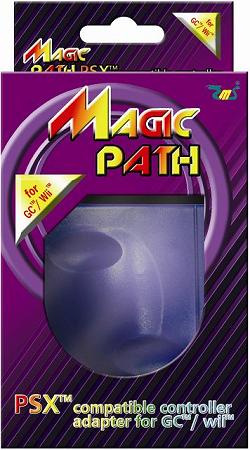
Product size : 85mm x 78mm x 25mm Package size : 130mm x 85mm x 35mm weight : 130g
- Enables PS™ / PS2™ compatible controller to work on GC™ / Wii™ console.
- Support rumble function.
- Programmable Auto Fire mode included.
Note:
1. #0201 Magic Path will be recognized as a GC™ controller.
2. In Wii™, GC™ controller (#0201 Magic Path) is only workable in GC™ compatible games
or "classic" games, but not workable in Wii™ menu nor Wii™ games.
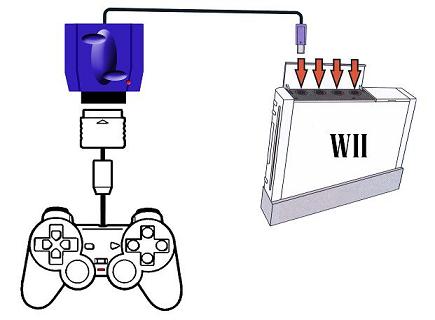
1. Make sure the GC™ / Wii™ console is turned OFF.
2. Connect #0201 Magic Path to GC™ / Wii™ console.
3. Connect a PS™ / PS2™ compatible controller to #0201 Magic Path .
4. Turn on the GC™ / Wii™ console, and the PS™ / PS2™ compatible controller will be
ready to use.
Configure auto fire mode :
a. Press (L2 + R2 + SELECT) together to enter the auto fire mode, the LED
will turn off to indicate that.
b. When the LED is turned off, it is awaiting for a key input. Press a key, and
the key is set to auto fire.
c. After (b), the LED will flash to indicate that the process is completed.
d. To disable an auto fired button, just simply do steps (a), (b), (c) again with
the auto fired button.
Designated trademarks and brands are the property of their respective owners.
#0201 Magic Path is fully designed and developed in-house by EMS PRODUCTION LIMITED.
This is not a SONY™ nor Nintendo™ official product.
email : sales@hkems.com