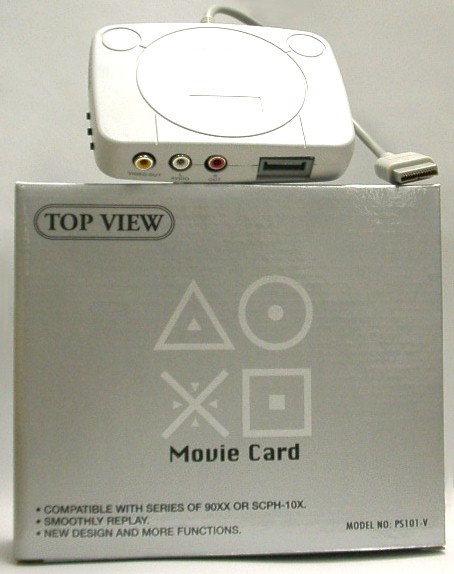
PS MOVIE NO.0115
(Only support SCPH-1000 and SCPH-1500 console)
操作:
1. 在機身上按Power制, 綠燈亮.
2. 按Open 制後機身會開啟.
3. 把VCD碟印有字樣的向上放下CD盤內.
4. 用手制操作選擇“CD PLAYER”然後按“O”進入.
5. 關閉機身蓋後等一會;因測試VCD程式進行中, 如成功後畫面會出現在電視營幕中.
6. 當你在營幕看見有箭咀出現, 你可在手制上按“O”後選擇觀看VCD
注意: Movie Card 側面的制要推向Game / VCD.
OPERATION:
1. Press the POWER BUTTON on PS console. The Power indicator lights up.
2. Press the OPEN BUTTON the disc cover opens.
3. Insert a VCD disc in the disc holder with the label side up.
4. Using the buttons on the CONTROLLER, you select CD PLAYER and enter by pressing the button of “O”
5. Close the disc cover, then wait for a while for checking VCD format lastly, the frame becomes to show up on TV
6. In this case, you can see the cursor will stay at the position of the arrow on TV frame. It’s now you may enter VCD by pressing the button of “O” again on controller.
Note: Make sure the Movie Card switch by the side of the console is switched to GAME /VCD
This Is Not A SONY Official Product.
email : sales@hkems.com
